AI allein baut keine guten digitalen Produkte.
Wir zeigen Product-, UX- und Dev-Teams, wie sie AI produktiv für die Entwicklung digitaler Produkte und Services einsetzen. Unser Design-to-Code Framework verbindet UX, Development und Fachwissen — für mehr Produktivität und einen sicheren, kontrollierten Weg von der Idee bis zum Code.
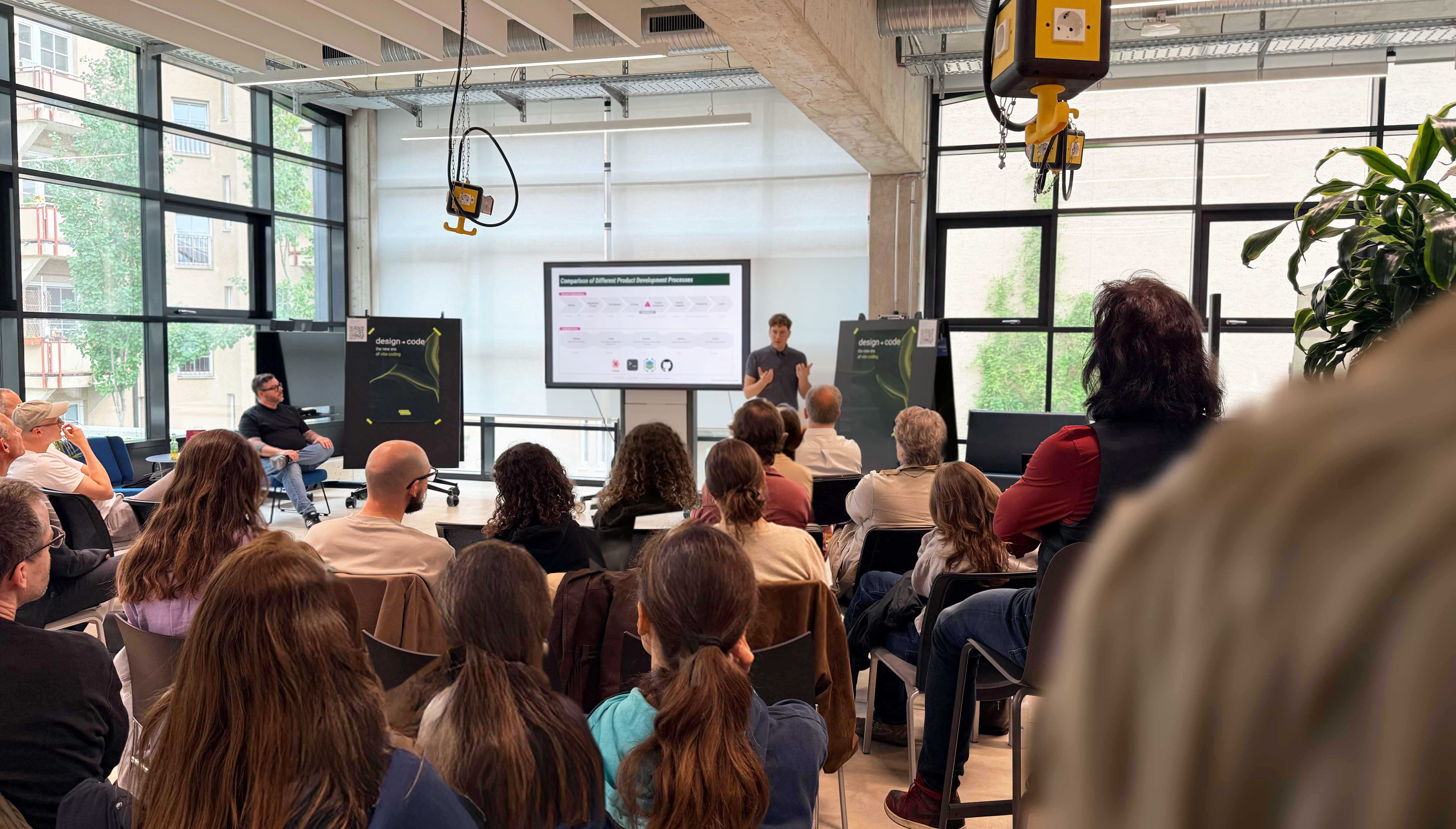
Was ist Design-to-Code? Lunch Talk – kostenlos – am Donnerstag, 17. September, 12:30–13:00
Was ist Design-to-Code?



Das Problem
AI macht Entwicklung schneller. Aber nicht automatisch besser.
AI kann heute in Sekunden Mockups und Code erzeugen. Doch Geschwindigkeit ersetzt keine Produktentscheidung.
Wenn Anforderungen unvollständig oder unklar sind, füllt AI die Lücken durch eigene Interpretation. So entstehen schnell Anwendungen, deren Logik, Qualität und Entscheidungsgrundlage später nur schwer nachvollziehbar sind.
Das Problem ist deshalb nicht, dass AI zu wenig kann.
Das Problem ist, dass Teams wissen müssen, wie sie AI richtig einsetzen.
Nur25%der Unternehmen bringen einen ihrer AI-Piloten tatsächlich in Produktion.Quelle: Deloitte, State of AI in the Enterprise, 2026
AI birgt enormes Produktivitätspotenzial. Was vielen Teams fehlt, ist die Kompetenz, dieses Potenzial sicher, nutzerzentriert und kontrolliert zu heben.
Unser Ansatz: Das Design-to-Code Framework
Ein Framework für die neue Art, digitale Produkte zu entwickeln.
Das Design-to-Code (DtC) Framework verbindet Product, UX, Development und Fachwissen und strukturiert die Zusammenarbeit von Mensch und AI — von der Idee bis zum Code. Das Framework kann als analoges Low- und High-Fidelity-Canvas oder mit unserer Software eingesetzt werden.
Human Stage Gates sorgen dafür, dass ihr die Entscheidungen trefft, Anforderungen überprüfbar bleiben und eure Anwendung iterativ weiterentwickelt werden kann.

Was wir anbieten
So kommt Design-to-Code in euer Team.
Das Framework ist die Methode. Workshops und Trainings sind der Weg, wie Teams sie lernen und in der Praxis anwenden.
Workshop
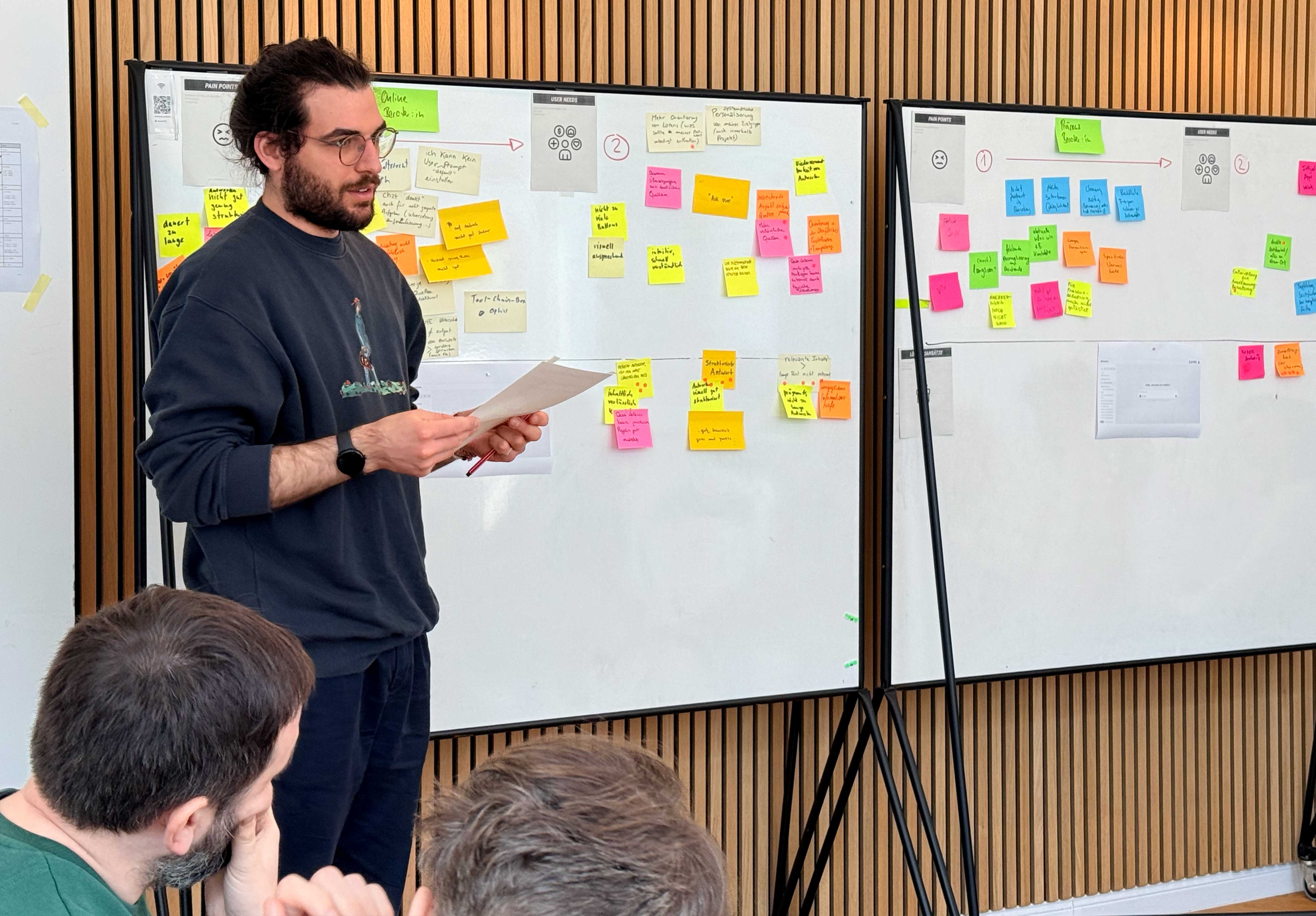
In 2 Tagen von der Idee zur lauffähigen Anwendung.
Das Framework erlernen und direkt am eigenen Projekt anwenden — kein Konzeptpapier, sondern eine echte Anwendung nach 2 Tagen.
Details ansehen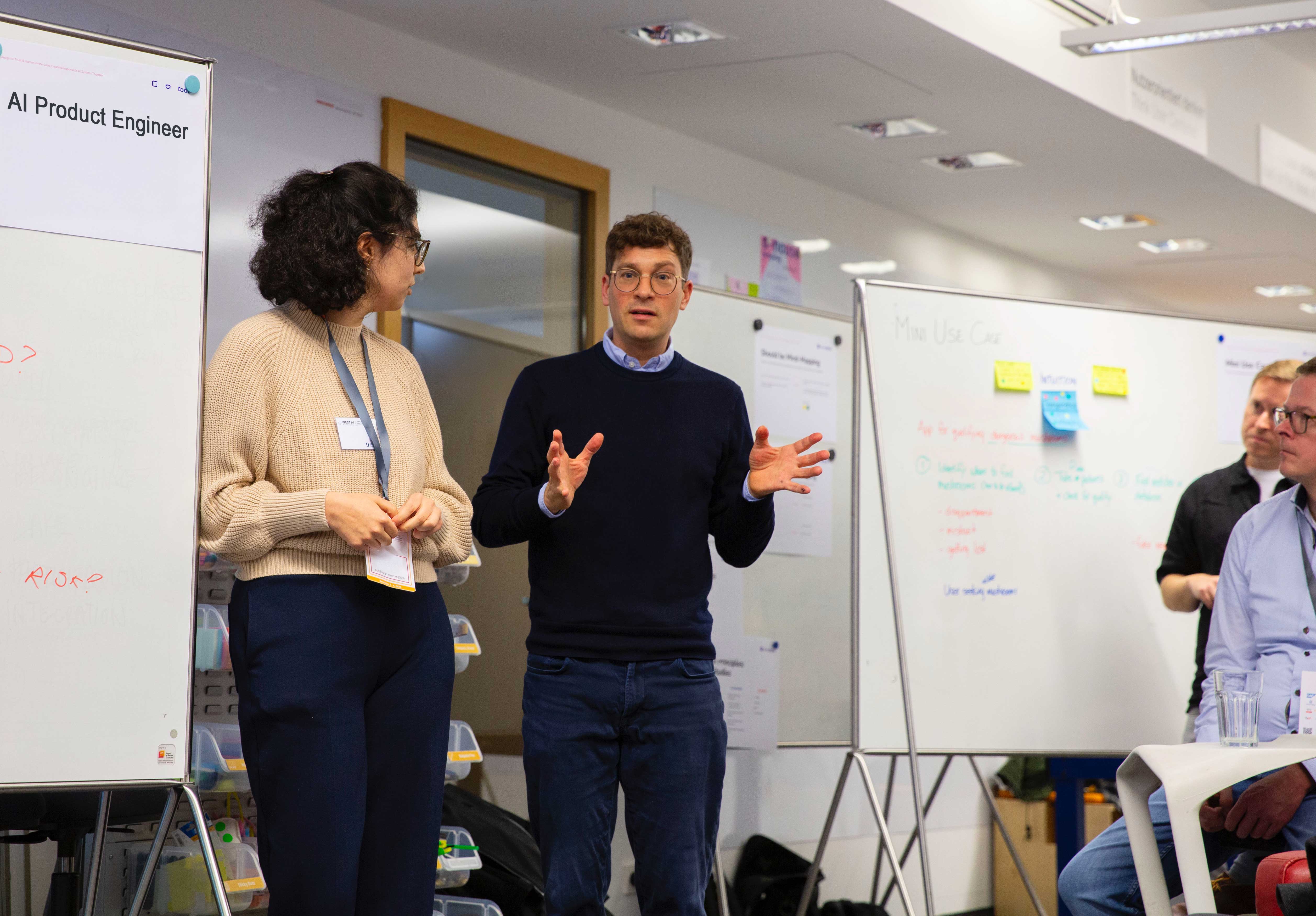
Corporate Training
Ausbildung zum AI Product Engineer für Unternehmen.
8 Module, verteilt auf [Platzhalter: Zeitraum bestätigen], parallel zu eurem Job. Ihr werdet zur Rolle, die AI-gestützte Entwicklung steuert.
Kontakt aufnehmen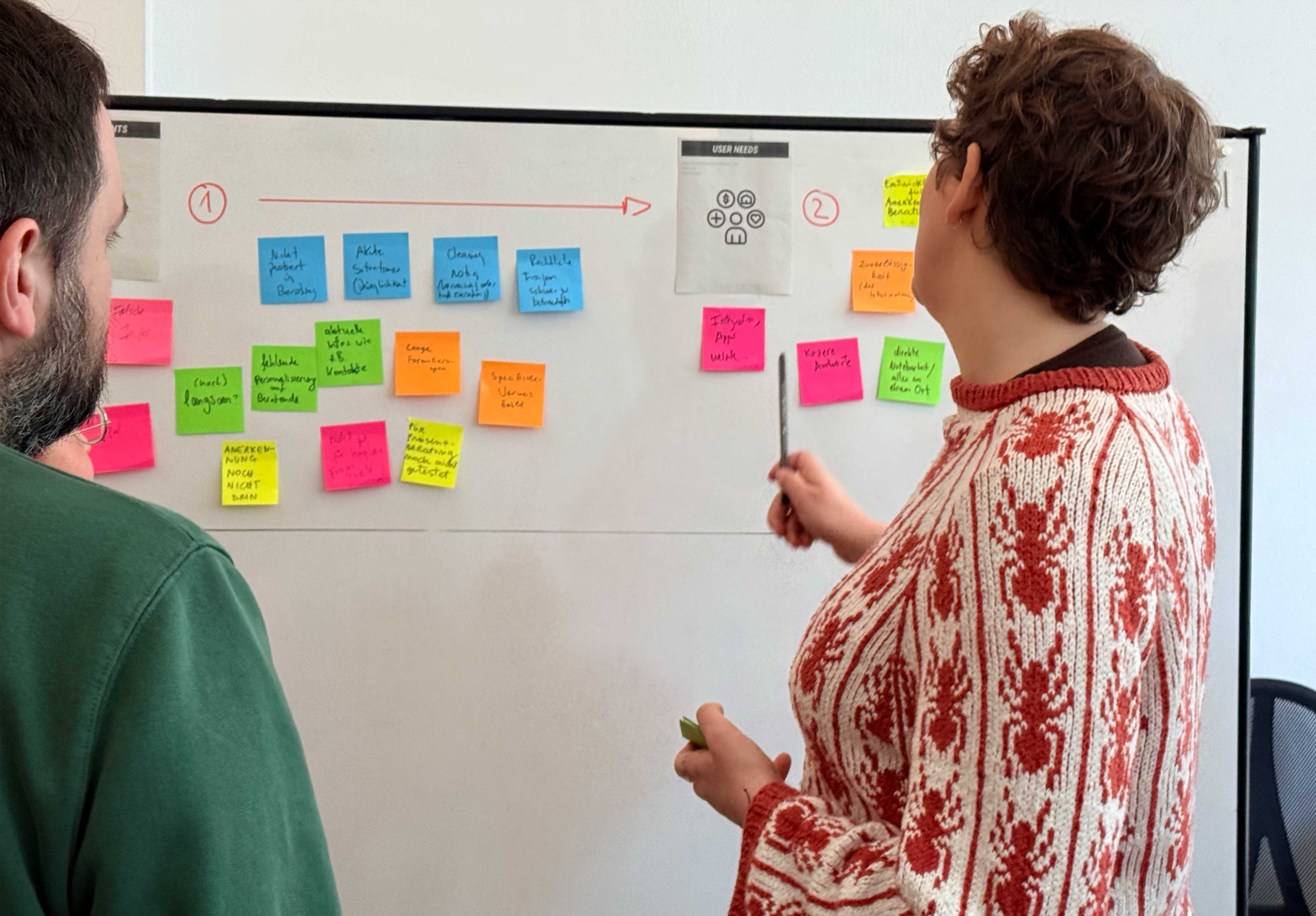
Materialien
Das Design-to-Code Framework nutzen.
Nutzt das DtC Framework als Canvas zum Ausdrucken sowie hilfreiche Informations-Checklisten zur Anwendung.
Materialien herunterladenDas Ergebnis
Ihr arbeitet während des Workshops an eurem eigenen, echten Projekt und entwickelt daraus eine lauffähige Anwendung. Am Ende nehmt ihr drei Dinge mit:
1. Eine funktionierende Anwendung
Kein theoretisches Beispiel und kein Wegwerf-Prototyp, sondern ein Ergebnis aus eurem eigenen Projekt.
2. Ein übertragbares Vorgehen
Ein klarer Prozess mit Human Stage Gates, den ihr auf weitere Projekte anwenden könnt.
3. Neue Kompetenz im Team
Euer Team weiß nicht nur, was AI kann, sondern wie es AI sicher und produktiv für die eigene Produktentwicklung einsetzt.
Module entdecken
Design-to-Code ist nicht am Reißbrett entstanden.
Das Framework basiert auf über 15 Jahren Erfahrung in der Entwicklung digitaler Produkte und Services — mit Expertise aus Product Ownership, UX und Development, kombiniert mit aktueller AI-Praxis.
Diese Erfahrung haben wir in acht Module überführt. Sie bilden die Grundlage unserer Workshops und Trainings.
Ankommen in der Struktur
M1 · Interpretationsproblematik von LLMs, die neue Rolle des AI Product Engineers und das Human-in-the-Loop-Prinzip.
Für wen wir bauen
M2 · Fachspezifischer Input aus eurer Branche. Definition der User Needs und User Journeys.
Das Design-to-Code Framework
M3 · Die fünf Ebenen verstehen und mit ihnen arbeiten lernen.
Vom Prompt zum Code
M4 · Agentische Dev- und Design-Ops-Praktiken anwenden lernen. Anforderungen an euer Projekt richtig definieren.
Kontrolle und Human in the Loop
M5 · Wie funktioniert der Human-Stage-Gate-Prozess? Lernt, wie ihr die Kontrolle in der Umsetzung behaltet.
Die Idee wird real
M6 · Umsetzung eurer digitalen Anwendung durch die von euch oder eurem Unternehmen bevorzugte Tool- oder Softwareauswahl.
Maintenance und Skalierung
M7 · Iteratives Arbeiten mit AI-Tools lernen — wie die DtC-Struktur hilft, auf Gebautem aufzubauen und es sinnvoll weiterzuentwickeln.
Überprüfung der Ziele
M8 · Hier überprüfen wir Hypothesen und testen die umgesetzten Applikationen. Wir üben, wie wir das gelernte Wissen an Kolleg:innen und andere Abteilungen weitergeben.
Das Team und die Coaches
Gute AI-gestützte Produkte entstehen nicht durch AI allein. Sie entstehen dort, wo Produktverständnis, Nutzerzentrierung, technische Kompetenz und Fachwissen zusammenkommen.
Unser Team vereint diese Perspektiven und bringt sie in einen gemeinsamen Entwicklungsprozess.

Tommy Haacke
UX Consultant & DtC Coach, Founder & Principal, userdoo

Dipl. Des. Simone Heissel
DtC Coach, UX Director, functional aesthetics

Dipl. UX-Des. Chris Bleuel
AI Consultant & DtC Coach, CEO functional aesthetics

Katharina Winter
Co-Founder, Responsible Design

Dipl. Inf. Thorsten Jonas
Co-Founder Kollektiv17
"Der AI Product Engineer wird eine entscheidende Rolle bei der Implementierung digitaler Lösungen in Unternehmen spielen. Das Design-to-Code Framework vermittelt die dafür benötigten Kompetenzen auf einzigartige Weise."
Bereit, AI produktiv in eure Produktentwicklung zu bringen?
Sprich mit uns darüber, wie wir Design-to-Code auf eure Bedürfnisse zuschneiden können.
Danke für deine Nachricht!
Wir melden uns zeitnah bei dir zurück.